Use your own categories
Group tools, machines and supplies with names and colors that suit your team.
Tracta · Equipment Management for Teams
Give tools and equipment a clear place in your shared workspace. Record their condition, see what needs attention and plan the next inspection with the right people.
Group tools, machines and supplies with names and colors that suit your team.
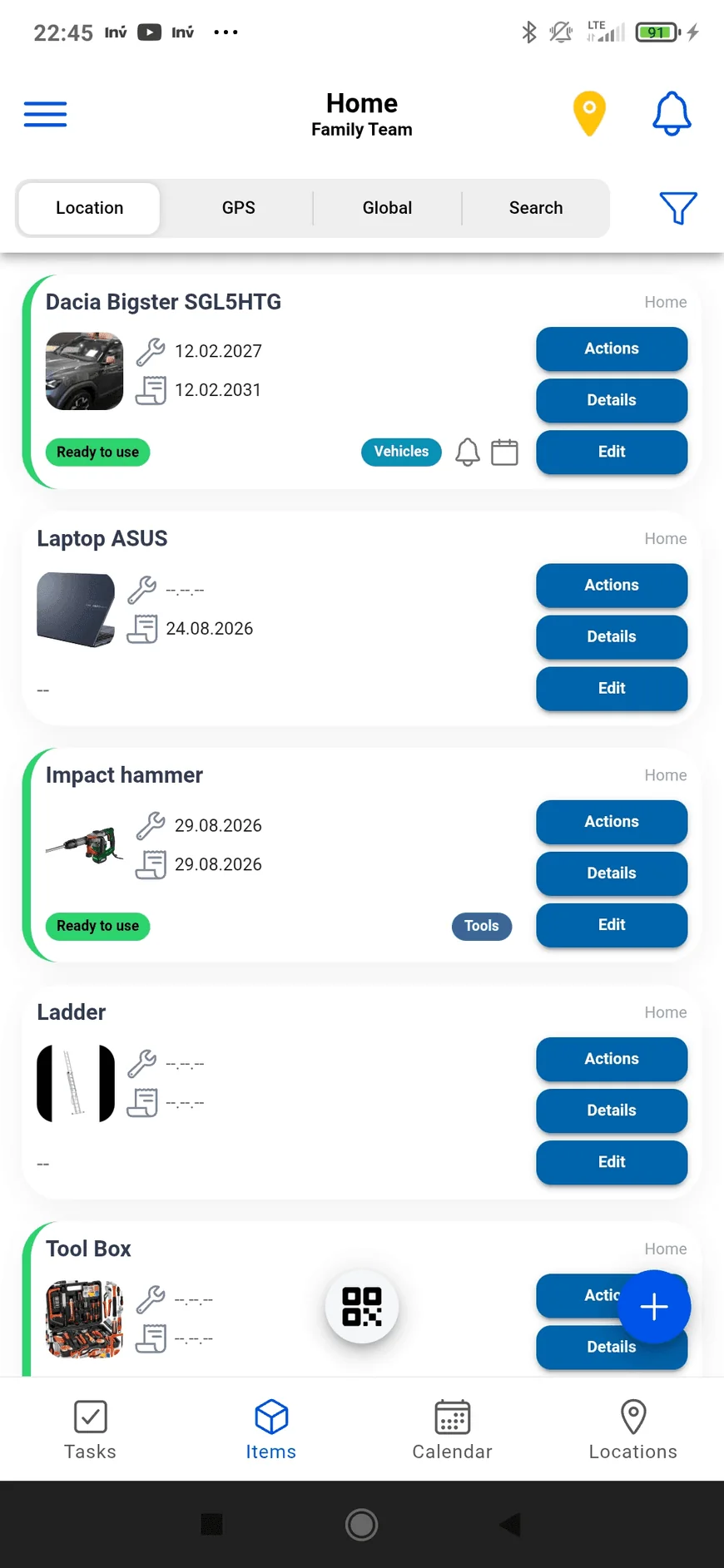
Mark equipment as ready, damaged or under repair, or define statuses of your own.
Create an event for an inspection, link the equipment and tasks, and add the people involved.
An event brings the date, place and people together. Link the tasks and items you’ll need so you can check them from the event’s details.
Schedule regular meetings or service visits. Change one occurrence, this and following occurrences, or the whole series.
Cards show when you’re organizing or participating. Assigned tasks are marked too, so your own work is easier to spot.
Choose a saved location or a GPS point. Location cards count upcoming events and recurring series separately.
Add the home, office, warehouse or other place you want to organize.
Add equipment, photos, documents and the dates you want to remember.
Invite the people involved and assign tasks to the right person.
Choose a date, place and participants, then link the items and tasks needed.
Browse your records in the app, then try moving between related information in the interactive demo below.
Yes. Members of a shared workspace can work with the same items, tasks, locations and events, subject to their access permissions.
Yes. Events can repeat daily, weekly, monthly or yearly. You can edit one occurrence, this and following occurrences, or the entire series.
Tracta highlights their assigned tasks and event role. On Android, they can also receive a push notification when notifications are enabled.
Start with a place, a few items and the next thing you need to do.
Get Tracta for Android